Overflow alerts explained
By setting up maximum or minimum vehicle count limits for P-areas and zones, providers can be notified to take action when the number of vehicles exceeds or falls below these limits.
The vehicle count limits can be set up individually for each vehicle type, and the set number is divided equally between all operators that offer that vehicle type.
Example: The limit for e-scooters in a zone is set to 3000, and there are four operators. Each operator can then have maximum 750 e-scooters in that zone. If the system detects that operator A have 790 e-scooters in the zone, it will send out a notification to that operator, telling them to remove 40 e-scooters. The notification will be sent on e-mail, as well as appearing in the alerts list in the regulator.
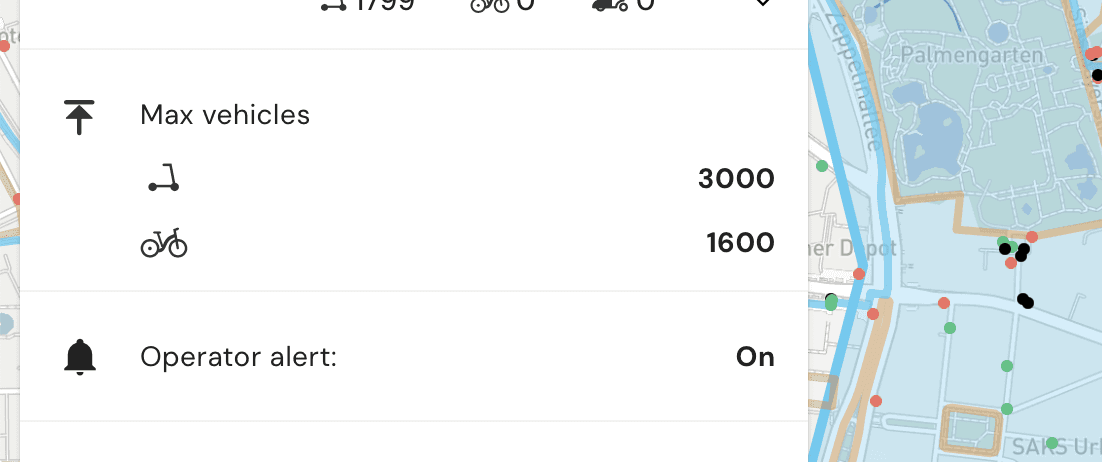
The vehicle count limits can be set up individually for each vehicle type, and the set number is divided equally between all operators that offer that vehicle type.
Example: The limit for e-scooters in a zone is set to 3000, and there are four operators. Each operator can then have maximum 750 e-scooters in that zone. If the system detects that operator A have 790 e-scooters in the zone, it will send out a notification to that operator, telling them to remove 40 e-scooters. The notification will be sent on e-mail, as well as appearing in the alerts list in the regulator.
The vehicle count limits can be set up individually for each vehicle type, and the set number is divided equally between all operators that offer that vehicle type.
Example: The limit for e-scooters in a zone is set to 3000, and there are four operators. Each operator can then have maximum 750 e-scooters in that zone. If the system detects that operator A have 790 e-scooters in the zone, it will send out a notification to that operator, telling them to remove 40 e-scooters. The notification will be sent on e-mail, as well as appearing in the alerts list in the regulator.
